

A user becomes a client right after signing up. But signing up is a serious commitment: Not everyone is willing to dive into the unknown. If in your traffic you see a lot of these people, you need a tool to work around it and melt the ice.
That’s exactly where the Free Chat Tool comes in. The Free Chat Tool looks similar to the familiar Live Feed, but it does something different: It lets visitors interact with live models directly from your site before they register. They get a real preview of the product, whether it’s LiveJasmin or Whitelabel.
What makes the Free Chat Tool work
Trials and demo versions are great because they serve as a preview. Users learn what to expect and can interact with the product firsthand. This kind of interaction conveys the value right away, so the decision to sign up comes more easily and naturally.
Please don’t expect Free Chat Tool to replace other Promo Tools. It’s an extra option for a slightly different angle when users want to chat with the model or just have a look first.
Don’t worry, the preview is high-quality and fully customizable.
What you can customize
Sites have varying designs, layouts, and colors (remember that Whitelabels are applicable too), meaning that the Free Chat Tool will support various previews. And yeah, it does; specifically, you can control, tweak, and adjust the following:
- Category and subcategory. When you’re promoting a niche site, this is a great customization option. You can focus on Gay, Fetish, Mature, or other specific audiences.
- Specific model. When targeting a particular GEO, there might be local stars. You can highlight them with our Free Chat Tool, yeah.
- Design elements. Choose whether to show the model’s name, live status, or keep the look clean and minimal.
- CTA and target page. The buttons on the preview can lead anywhere, from the Sign-Up page to Model Chat. And you’re in full control here!
- Size and layout. And of course, you can tailor your previews to different screen resolutions, meaning you’re not limited to just desktops or phones.
No matter your layout, niche, or theme, you can align the Free Chat Tool with your website’s design for maximum immersion.
Where the Free Chat Tool works best
The Free Chat Tool has many potential use cases, but cam aggregators are a great success example. A typical flow would look like this: A user clicks on a Link Code on the model’s thumbnail, lands on their page, and finds the Free Chat Tool (or Live Feed) already waiting.
At this moment, the interest peaks, since the user has already clicked and landed. A quick preview of what to expect is a great closer that nudges hesitant users toward signing up.
The same logic works on many review sites and content pages where visitors arrive with some curiosity but still need a push to register.
How to start using it
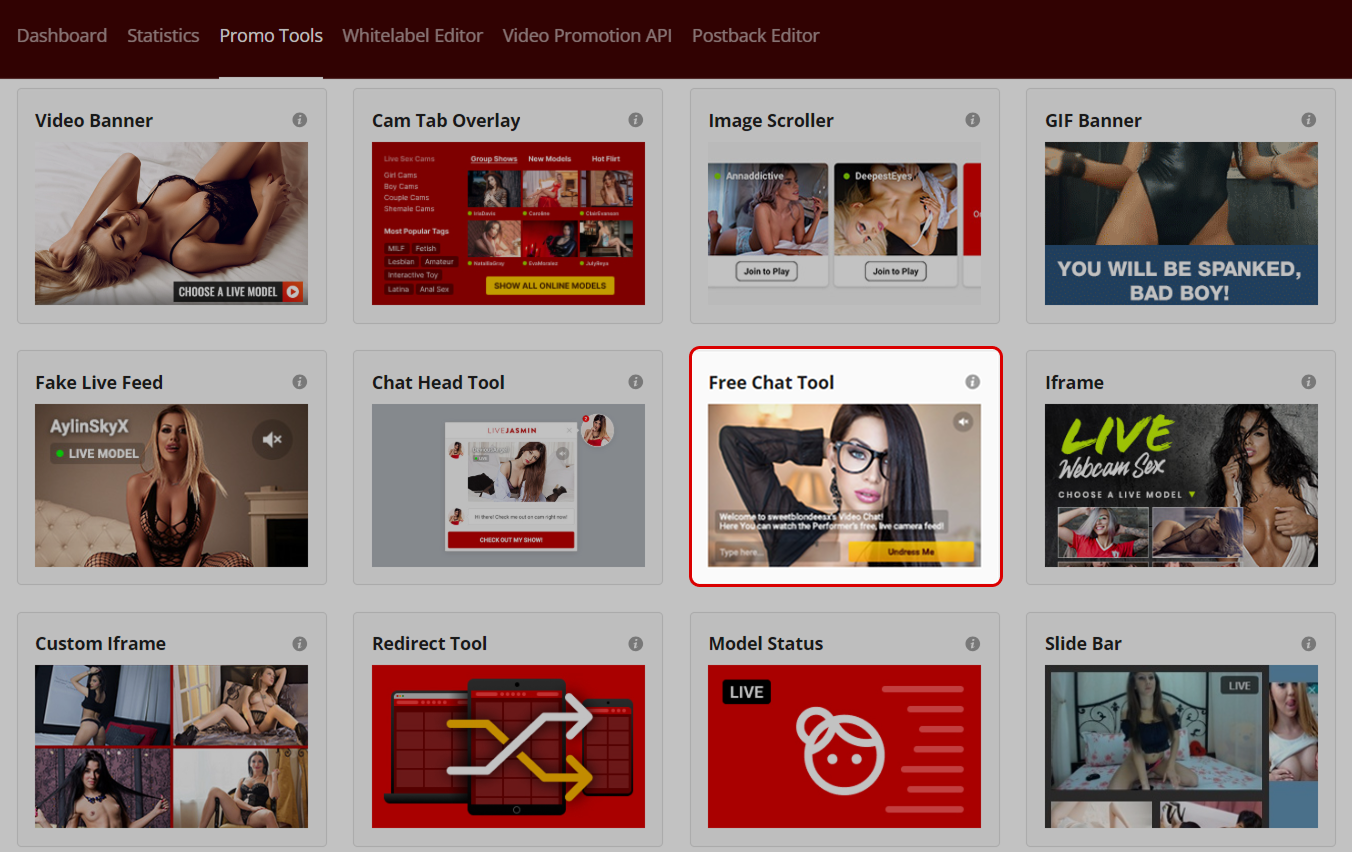
You’ll find the Free Chat Tool in the Promo Tools tab alongside the rest of the available materials. Open it, set the filters that make sense for your traffic, and generate the code.
If you’re unsure which settings fit your sources best, message your Affiliate Manager. They can share practical recommendations based on similar campaigns. Don’t forget that you can contact us on Telegram as well.
One more thing: We have a wide plethora of great Promo Tools. Some are LiveJasmin exclusives; others are for Whitelabels, and we also have tools for our niche programs. Try all our products and angles to promote them, and pick your favorites. And if you’re not sure where to start, you already know the deal: Affiliate Manager or Telegram.

